
Sling Servlets: Registration, Resource Types and Security
Series: AEM Backend Essentials — Part 5
Servlets are how your backend code answers HTTP requests: a JSON endpoint for a component, a form handler, a small API for a front end. In AEM they're built on Sling, which decides which servlet handles a request by looking at the resource being requested. Getting registration right is the difference between a secure, cache-friendly endpoint and one that Cloud Manager flags and the Dispatcher blocks. This post covers how to build one properly on AEM as a Cloud Service.
A Minimal GET Servlet
package com.myproject.core.servlets;

import com.fasterxml.jackson.databind.ObjectMapper;
import java.io.IOException;
import java.util.LinkedHashMap;
import java.util.Map;
import javax.servlet.Servlet;
import org.apache.sling.api.SlingHttpServletRequest;
import org.apache.sling.api.SlingHttpServletResponse;
import org.apache.sling.api.servlets.SlingSafeMethodsServlet;
import org.apache.sling.servlets.annotations.SlingServletResourceTypes;
import org.osgi.service.component.annotations.Component;

@Component(service = Servlet.class)
@SlingServletResourceTypes(
        resourceTypes = "myproject/components/page",
        methods = "GET",
        selectors = "summary",
        extensions = "json")
public class PageSummaryServlet extends SlingSafeMethodsServlet {

    private static final ObjectMapper MAPPER = new ObjectMapper();

    @Override
    protected void doGet(SlingHttpServletRequest request, SlingHttpServletResponse response)
            throws IOException {

        Map<String, Object> body = new LinkedHashMap<>();
        body.put("path", request.getResource().getPath());
        body.put("title", request.getResource().getValueMap().get("jcr:content/jcr:title", ""));

        response.setContentType("application/json");
        response.setCharacterEncoding("UTF-8");
        MAPPER.writeValue(response.getWriter(), body);
    }
}
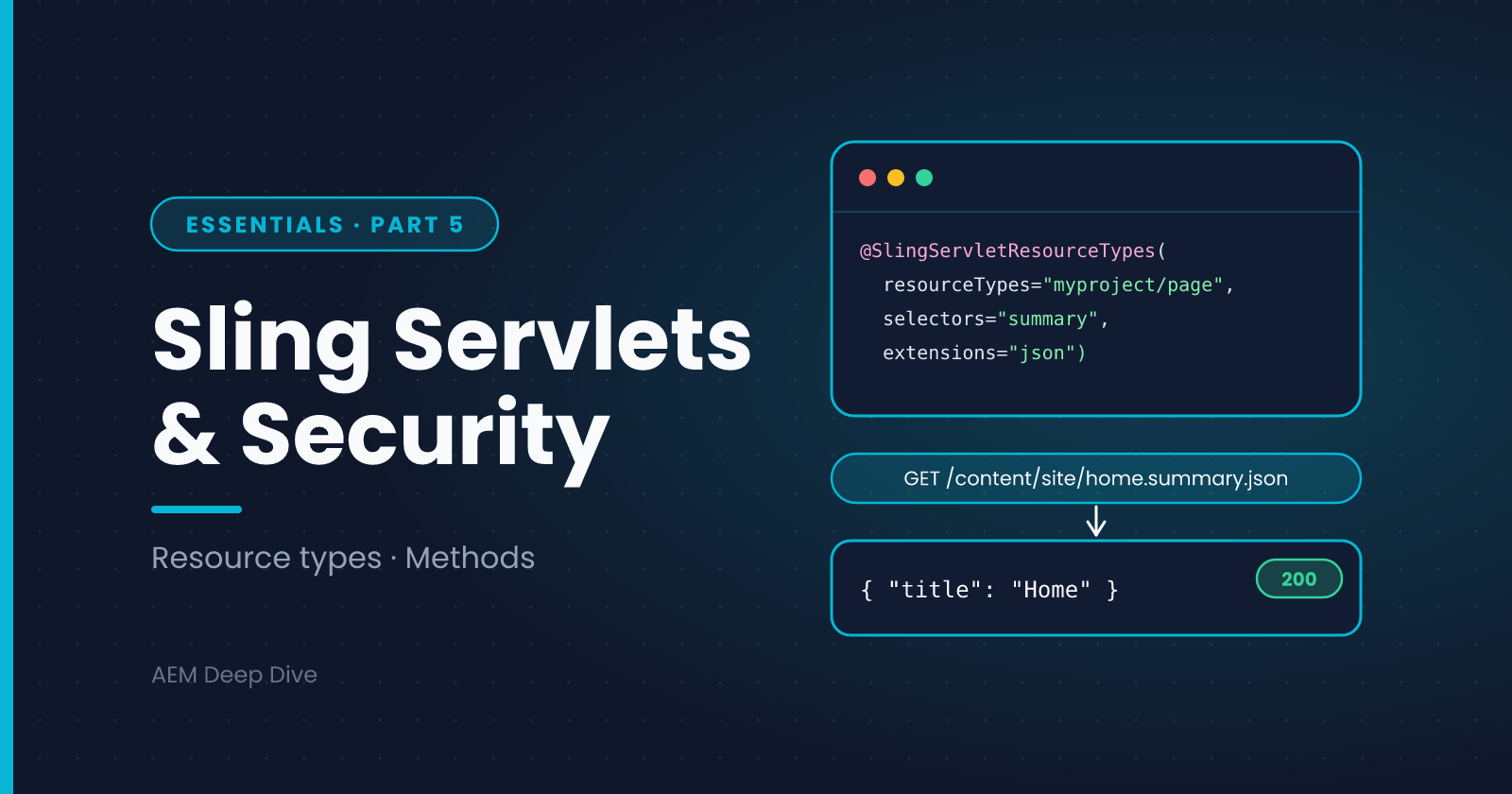
With this servlet deployed, a request such as /content/myproject/en/home.summary.json is handled by it, because the page's sling:resourceType is myproject/components/page and the URL carries the summary selector and json extension.
The Jackson library is available through the AEM SDK API. Check which servlet package your SDK and archetype use: most projects still import javax.servlet, and Jakarta support is only now arriving, so match the imports your archetype generated rather than switching on your own.
Why Resource Types Beat Paths
You can also bind a servlet to a fixed path:
// Avoid
@Component(service = Servlet.class, property = {"sling.servlet.paths=/bin/myproject/summary"})
Cloud Manager's code quality rules include "Do not use Sling servlet paths to register servlets". The reasoning is that a path-bound servlet can't use the standard repository access controls, so it needs extra security care. Binding by resource type means the request resolves to a real resource first, so normal permissions apply, and the Dispatcher can allow or block it by content path.
| Resource type | Fixed path | |
|---|---|---|
| Access control | Standard JCR permissions apply to the resource | Bypasses them, so you must check access yourself |
| Cloud Manager | Passes | Flagged as a code smell |
| URL | Content URL plus selector and extension | /bin/... style URL |
| Dispatcher | Easy to allow by content path and selector | Needs separate rules |
If you need a "global" endpoint, create a small resource (for example a node under /content/myproject/api) with its own resource type and bind to that.
Choosing the Base Class
| Base class | Use for |
|---|---|
SlingSafeMethodsServlet |
Read-only operations: GET, HEAD, OPTIONS |
SlingAllMethodsServlet |
Operations that change data: POST, PUT, DELETE |
Match methods in the annotation to what you implement. A servlet that changes data should respond only to the methods it needs.
Handling Input Safely
- Read parameters with
request.getParameter()and validate every one: allowed values, length limits, expected format - Never build repository paths from raw input. Resolve the resource through the resolver and check it's under the path you expect
- Return the right content type and encoding so browsers don't guess
- Don't leak errors. Send a generic message and log the details on the server
String id = request.getParameter("id");
if (id == null || !id.matches("[A-Za-z0-9_-]{1,40}")) {
    response.sendError(SlingHttpServletResponse.SC_BAD_REQUEST, "Invalid id");
    return;
}
Servlets and the Dispatcher
A servlet answering on Publish is only reachable if the Dispatcher filter allows it. In a Cloud Service project, add a narrow rule in the filters configuration that names the method, path, selector and extension:
/0100 { /type "allow" /method "GET" /path "/content/myproject/*" /selectors "summary" /extension "json" }
Remember also that GET responses can be cached by the Dispatcher and CDN. Set sensible Cache-Control headers, and don't cache anything that depends on who is asking.
Trying It Out
curl http://localhost:4503/content/myproject/en/home.summary.json
If the servlet doesn't answer, work through this list:
- Is the bundle Active and the servlet component active? (Components list in the web console, or the Developer Console on Cloud Service)
- Does the resource's
sling:resourceTypematch the servlet's resource type? - Do the selector and extension match exactly?
- Is the method correct? A servlet bound to GET won't answer a POST
- On Publish, is the request allowed by the Dispatcher filters?
AEM as a Cloud Service vs 6.5
| Topic | AEM 6.5 | AEM as a Cloud Service |
|---|---|---|
| Path-bound servlets | Work, and are still seen in older projects | Flagged by Cloud Manager's quality check. Use resource types |
| Fixed-path allowlist | May need explicit configuration for path-bound servlets | Avoided by using resource types |
| Dispatcher rules | Edited on your own Dispatcher | Part of your project, validated by the Dispatcher SDK |
| POST requests | Subject to CSRF protection on Author | Same. Send the CSRF token for authenticated POSTs |
| Caching | Your CDN and Dispatcher | CDN included, so response headers matter more |
Common Pitfalls
- 404 from the servlet URL. Resource type, selector or extension don't match
- 403 on Publish. The Dispatcher filter blocks it, or an ACL denies anonymous access
- Works on Author, not on Publish. The servlet is deployed to both, but the content, ACL or filter differs
- Heavy work inside
doGet. Move it to a service, cache the result, and keep servlets thin - Returning HTML-ish data with the wrong content type. Set the content type explicitly
What's Next
You can now build services, configure them, access the repository and expose them over HTTP. The last post in the Essentials series covers the habits that make all of it maintainable: logging, debugging and testing backend code.
Next in this series: [Logging, Debugging and Testing Backend Code]
About the author
- AEM Technical Lead experienced with building and architecting solutions on AEM Sites and Assets. Sharing practical tutorials, real-world implementation lessons, and best practices to help fellow developers and leads navigate AEM.
Comments
Join the discussionDo you still have path-bound servlets in your projects? If you've replaced them with resource types, what was the trickiest part: the resource to bind to, or the Dispatcher rules?
AEM Backend Essentials
OSGi, services, configuration, service users, servlets and testing: the core backend skills for AEM as a Cloud Service, with 6.5 differences.