
Cloud-Ready Backend Code: Quality Gates and Common Pitfalls
Series: AEM Backend Advanced — Part 7
On AEM as a Cloud Service, your code reaches Production only through a Cloud Manager pipeline, and that pipeline checks it. Some checks are about quality, some about compatibility, and some about patterns that are known to cause outages. Teams moving from AEM 6.5 often find that code that ran for years now fails the build. This post collects the rules and habits that make backend code Cloud-ready, so you can write it right the first time or find what to fix when migrating.
What the Pipeline Checks
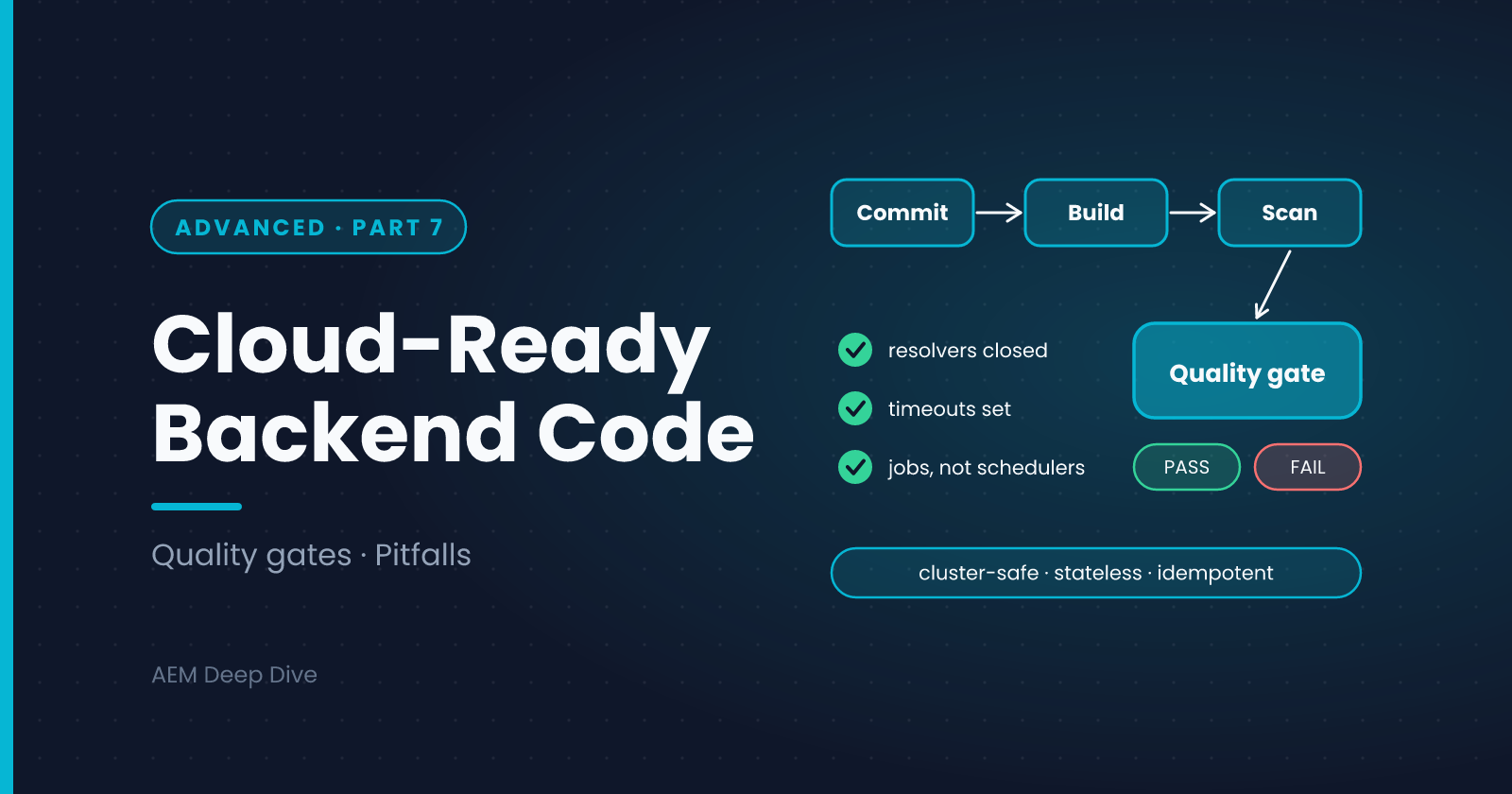
A Cloud Manager pipeline builds your project, runs your unit tests, and then runs code quality scans (static analysis plus Adobe's own AEM-specific rules) and compatibility checks against the AEM SDK API. Findings are rated by severity. Critical findings stop the pipeline, while lower severities are reported for you to address.
Because rule names and thresholds change over time, treat the lists below as patterns to know, and read the current Cloud Manager documentation for the exact rules.
Patterns the Quality Rules Target
| Pattern | Why it's a problem | What to do |
|---|---|---|
A ResourceResolver that isn't closed |
Leaks resources and degrades the system over time | Use try-with-resources, as in the service users post |
| HTTP calls without connect and read timeouts | One slow partner can stall the whole site | Set both, with values far below the 60-second maximum, as in the integrations post |
| Servlets registered by path | Bypass the standard access control on resources | Register by resource type |
| Dangerous Java calls (for example stopping threads or killing the JVM) | Can destabilize a shared runtime | Remove them. There's almost always a safer design |
| Using the Sling Scheduler for guaranteed work | Runs on every instance, or not at all, on a cluster | Use Sling Jobs |
| Implementing product APIs meant to be consumed | Breaks when Adobe updates the platform | Call them, don't implement them |
Design Rules for a Cluster
These are not all machine-checked, but they decide whether your code behaves in production.
Be stateless. Don't keep important data in instance fields or on the local disk. Another instance won't have it, and the instance itself can disappear at any time.
Don't write to the local file system. Treat it as temporary. Store anything that matters in the repository or in an external service.
Assume several instances. Anything triggered by an event or a timer may run on more than one. Use jobs for "once" semantics, and make the work idempotent.
Expect old and new code to overlap. During a deployment, instances running the previous release and the new one serve traffic together for a while. Don't change a content structure or an API in a way that breaks the other version. Do such changes in two steps: first support both, then remove the old.
Don't depend on startup order. Services can appear in any sequence. Use optional or dynamic references where a missing service shouldn't be fatal.
Don't write to immutable areas. /apps and /libs can't be changed at runtime. Write to /content, /conf or /var.
Things That Change When Moving from 6.5
| On 6.5 you could... | On Cloud Service you... |
|---|---|
| Install a package or bundle by hand | Deploy through the pipeline |
| Edit OSGi configuration on the server | Commit .cfg.json files and deploy |
Use loginAdministrative |
Use service users |
| Run a Commons Scheduler task | Use Sling Jobs |
| Keep files on the disk | Use the repository or an external store |
| Use any API in the product jars | Use the AEM SDK API |
| Use custom run modes | Use author, publish, and dev, stage, prod |
| Rely on replication agents | Use the built-in content distribution |
| Add libraries freely | Check each library is allowed and resolvable. Bundled third-party code may need review |
Adobe's tools help with the audit. The Best Practices Analyzer scans a 6.5 instance and reports incompatible patterns, and the pattern detector flags specific code patterns that need changes. Run them early in a migration.
Java Version Differences
Cloud Service has moved to newer Java versions over time, and each step removes some older APIs. If you're upgrading a project:
- Check which Java version your pipeline builds and runs with
- Replace removed or restricted APIs
- Update libraries whose old versions don't support the target version
- Be careful with javax and Jakarta package names. Most AEM projects still use
javaximports, and the move to Jakarta is only now arriving, so don't change imports unless your SDK version and archetype tell you to
Test Like the Pipeline Does
Running the checks locally saves a pipeline run:
mvn clean verify
Then:
- Fix unit test failures first
- Read warnings about unresolved imports or API usage. They usually mean something won't resolve at runtime
- Deploy to a Dev environment before Stage, and watch the logs through one full cycle of the background work
A Practical Review Checklist
Use this in code review for any backend change:
- Every
ResourceResolveris closed, or comes from the request - Every outbound HTTP call has timeouts
- Servlets use resource types, not paths
- No new Commons Scheduler tasks for important work
- Background work is idempotent and runs through Sling Jobs
- Configuration comes from
.cfg.jsonwith run modes and environment variables, with no secrets in Git - No local file writes, no static mutable state of importance
- No assumptions about instance count or startup order
- Logging has no secrets and uses the right levels
- A unit test covers the main path and one failure path
Common Pitfalls
- "It passed locally." The local SDK is one instance with relaxed behavior
- Fixing the warning but not the cause. For example catching an exception to silence a rule
- A big-bang change. Large, risky deployments are harder to roll forward safely than small ones
- Ignoring non-critical findings forever. They accumulate and later block you
- Skipping the Dev environment. Cluster behavior only shows up there
What's Next
You've now seen the pieces: OSGi, configuration, service users, servlets, jobs, workflows, integrations, security and Cloud-ready habits. The final post puts them together into one worked backend example.
Next in this series: [Putting It Together: A Worked Backend Example]
About the author
- AEM Technical Lead experienced with building and architecting solutions on AEM Sites and Assets. Sharing practical tutorials, real-world implementation lessons, and best practices to help fellow developers and leads navigate AEM.
Comments
Join the discussionWhat was the first Cloud Manager finding that surprised you, and how did you fix it? If you're migrating from 6.5, which pattern in your code base worries you most?
AEM Backend Advanced
Factory configurations, filters and listeners, jobs, workflows, integrations, security and Cloud-ready code for AEM as a Cloud Service, with 6.5 differences.