
Sling Models 101
Series: AEM Core Development — Part 3
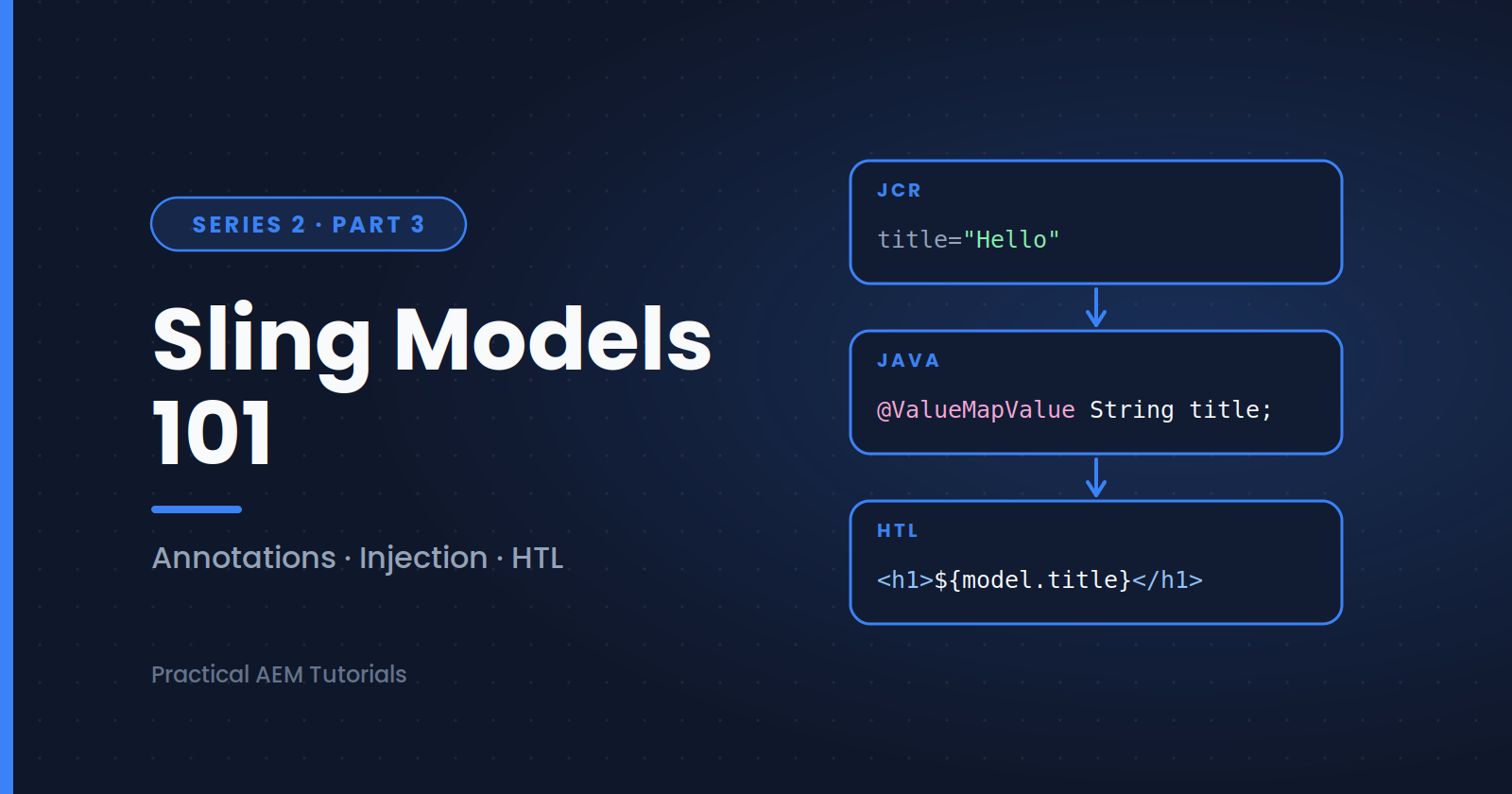
In the previous post, our HTL script referenced a HeroBanner model. Now let's build it. Sling Models are annotation-driven Java classes (POJOs) that map JCR content into objects your HTL can use, keeping business logic out of your markup.
Why Sling Models?
Before Sling Models, developers wrote JSP scriptlets or WCMUsePojo classes, manually reading properties and handling nulls. Sling Models give you:
- Declarative injection — annotate fields, and Sling populates them
- Testability — plain Java classes that are easy to unit test
- Clean separation — HTL handles markup, Java handles logic
A Basic Model
Create this in your core module:
package com.myproject.core.models;

import javax.annotation.PostConstruct;
import org.apache.sling.api.SlingHttpServletRequest;
import org.apache.sling.models.annotations.DefaultInjectionStrategy;
import org.apache.sling.models.annotations.Model;
import org.apache.sling.models.annotations.injectorspecific.ValueMapValue;

@Model(
    adaptables = SlingHttpServletRequest.class,
    defaultInjectionStrategy = DefaultInjectionStrategy.OPTIONAL
)
public class HeroBanner {

    @ValueMapValue
    private String title;

    @ValueMapValue
    private String subtitle;

    public String getTitle() {
        return title;
    }

    public String getSubtitle() {
        return subtitle;
    }
}
Note: in newer AEM as a Cloud Service projects, the javax packages may be replaced by jakarta equivalents depending on the SDK version, so match the imports to what your archetype generated.
Breaking Down the Annotations
@Model— registers the class as a Sling Modeladaptables— what the model can be created from.SlingHttpServletRequestgives access to the request context;Resourceis lighter and suited to models that only need content datadefaultInjectionStrategy = OPTIONAL— fields without a value becomenullinstead of causing the whole model to fail. Many teams set this as their default because authors often leave fields empty@ValueMapValue— injects a property from the resource'sValueMap; the field name must match the JCR property name (title,subtitle)
Other Commonly Used Injectors
@ScriptVariable
private Page currentPage;           // current AEM page

@SlingObject
private ResourceResolver resolver;  // resource resolver for repository access

@OSGiService
private MyCustomService service;    // inject an OSGi service

@ChildResource
private List<Resource> items;       // child resources (e.g., multifield items)
Using the injector-specific annotations (like @ValueMapValue) rather than the generic @Inject is recommended, since they're more explicit and faster.
Using @PostConstruct
When you need logic after injection completes, use @PostConstruct:
private String displayTitle;

@PostConstruct
protected void init() {
    displayTitle = title != null ? title.toUpperCase() : "Welcome";
}
This runs once after all fields are injected, so it's the right place to compute derived values.
Connecting the Model to HTL
Back in herobanner.html:
<section data-sly-use.hero="com.myproject.core.models.HeroBanner">
    <h1>${hero.title}</h1>
</section>
HTL maps ${hero.title} to getTitle() automatically.
Best Practices
- Keep models focused: one model per component
- Prefer
Resourceadaptables when you don't need request data - Avoid heavy logic or repository queries in models that render on every request
- Write unit tests using AEM Mocks (
io.wcm.testing.mock.aem) - Consider implementing and extending Core Components models rather than writing everything from scratch
What's Next
Your model can now feed an HTL script, but authors still need a way to supply the values. The next post is a practical reference for building dialogs with Granite UI: the common field types, validation, multifields and tabs.
Next in this series: [Dialog Fields & Granite UI Reference]
About the author
- AEM Technical Lead experienced with building and architecting solutions on AEM Sites and Assets. Sharing practical tutorials, real-world implementation lessons, and best practices to help fellow developers and leads navigate AEM.
Comments
Join the discussionDo you prefer Resource or SlingHttpServletRequest as the adaptable, and why? And do you default to optional injection, or keep fields required so problems show up early?
AEM Core Development
"Hands-on component building, Sling Models, HTL, and dialog configuration — the everyday toolkit every AEM developer needs."