
Dialog Fields & Granite UI Reference
Series: AEM Core Development — Part 4
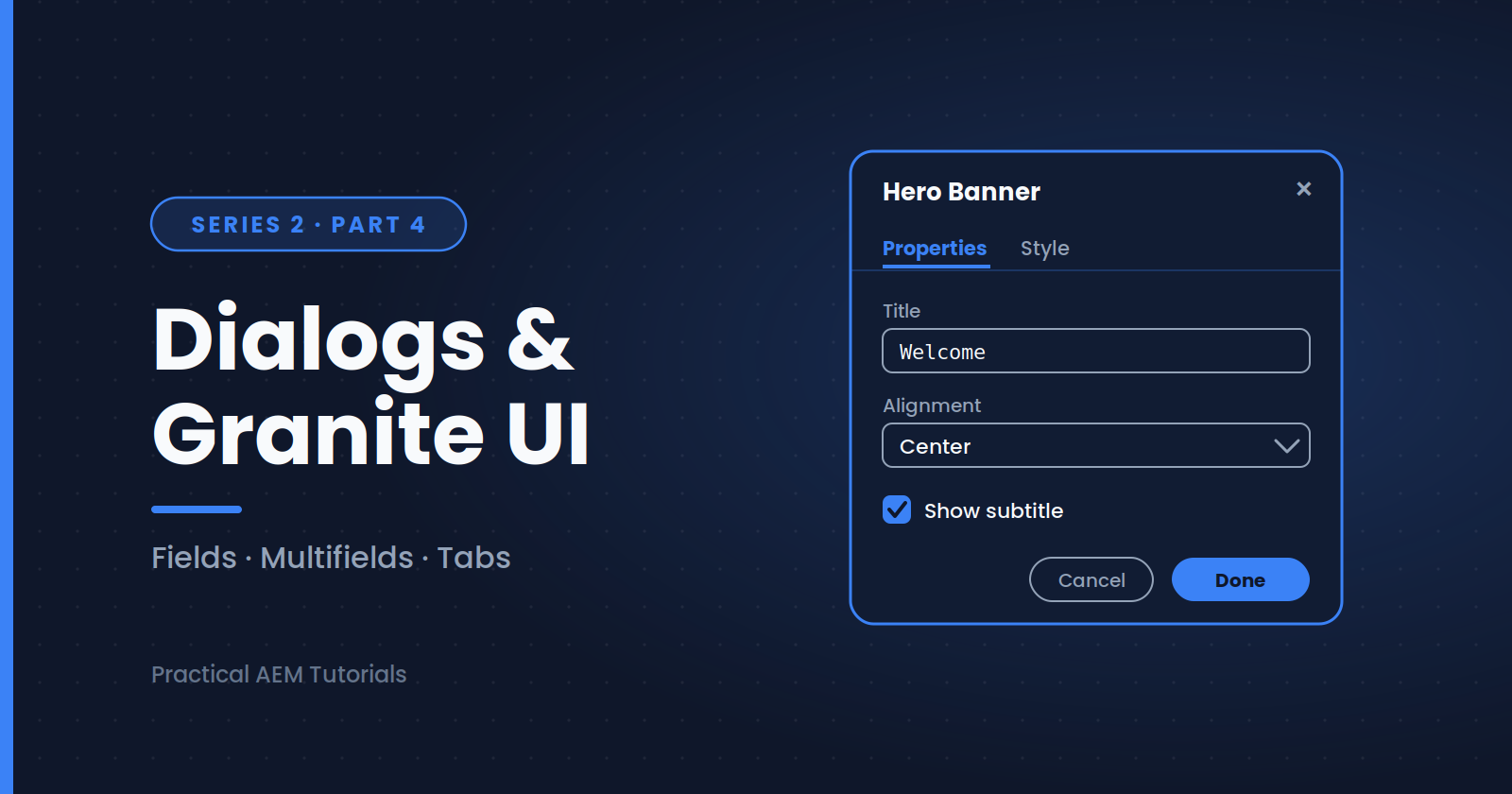
Dialogs are how authors configure components. In AEM, dialogs are built with Granite UI using Coral UI 3 widgets, defined as XML nodes. This post is a practical reference for the fields you'll use most.
Dialog Anatomy
Every dialog follows the same skeleton:
_cq_dialog/.content.xml
└── content (container)
    └── items
        └── tabs / fields
Each field is a node with a sling:resourceType that determines the widget, and a name property that determines where the value is stored (always prefixed with ./ for the component node).
Common Field Types
All resource types below are under granite/ui/components/coral/foundation/form/.
| Field | Resource type suffix | Typical use |
|---|---|---|
| Text field | textfield |
Titles, labels |
| Text area | textarea |
Descriptions |
| Checkbox | checkbox |
Boolean toggles |
| Select / dropdown | select |
Fixed option lists |
| Number | numberfield |
Counts, sizes |
| Date picker | datepicker |
Dates |
| Path field | pathfield |
Linking to pages or assets |
| Rich text | cq/gui/components/authoring/dialog/richtext |
Formatted text |
| Multifield | multifield |
Repeating groups of fields |
Text Field with Validation
<title
    jcr:primaryType="nt:unstructured"
    sling:resourceType="granite/ui/components/coral/foundation/form/textfield"
    fieldLabel="Title"
    fieldDescription="Keep under 60 characters"
    maxlength="60"
    required="{Boolean}true"
    name="./title"/>
Checkbox
Checkboxes need two extra properties to store a proper boolean:
<showSubtitle
    jcr:primaryType="nt:unstructured"
    sling:resourceType="granite/ui/components/coral/foundation/form/checkbox"
    text="Show subtitle"
    name="./showSubtitle"
    value="{Boolean}true"
    uncheckedValue="{Boolean}false"/>
Dropdown
<alignment
    jcr:primaryType="nt:unstructured"
    sling:resourceType="granite/ui/components/coral/foundation/form/select"
    fieldLabel="Alignment"
    name="./alignment">
    <items jcr:primaryType="nt:unstructured">
        <left jcr:primaryType="nt:unstructured" text="Left" value="left"/>
        <center jcr:primaryType="nt:unstructured" text="Center" value="center" selected="{Boolean}true"/>
        <right jcr:primaryType="nt:unstructured" text="Right" value="right"/>
    </items>
</alignment>
Path Field
Use rootPath to restrict what authors can browse:
<link
    jcr:primaryType="nt:unstructured"
    sling:resourceType="granite/ui/components/coral/foundation/form/pathfield"
    fieldLabel="Link"
    rootPath="/content/mysite"
    name="./linkURL"/>
For assets, set rootPath="/content/dam/mysite".
Multifield
Multifields let authors add repeating items. The composite approach stores each item as a child node:
<links
    jcr:primaryType="nt:unstructured"
    sling:resourceType="granite/ui/components/coral/foundation/form/multifield"
    composite="{Boolean}true"
    fieldLabel="Links">
    <field
        jcr:primaryType="nt:unstructured"
        sling:resourceType="granite/ui/components/coral/foundation/container"
        name="./links">
        <items jcr:primaryType="nt:unstructured">
            <label
                jcr:primaryType="nt:unstructured"
                sling:resourceType="granite/ui/components/coral/foundation/form/textfield"
                fieldLabel="Label"
                name="./label"/>
            <url
                jcr:primaryType="nt:unstructured"
                sling:resourceType="granite/ui/components/coral/foundation/form/pathfield"
                fieldLabel="URL"
                name="./url"/>
        </items>
    </field>
</links>
Read it in your model with @ChildResource private List<Resource> links; or map it to a small model class.
Organizing with Tabs
<content
    jcr:primaryType="nt:unstructured"
    sling:resourceType="granite/ui/components/coral/foundation/tabs">
    <items jcr:primaryType="nt:unstructured">
        <properties
            jcr:primaryType="nt:unstructured"
            jcr:title="Properties"
            sling:resourceType="granite/ui/components/coral/foundation/container">
            <items jcr:primaryType="nt:unstructured">
                <!-- fields here -->
            </items>
        </properties>
    </items>
</content>
Tips
- Use the Touch UI dialog only; classic UI dialogs are legacy
- Look at Core Components dialogs in
/libs/core/wcm/componentsfor reliable patterns to copy - Use
granite:hide/ show-hide behavior viagranite:classand clientlibs for conditional fields - Inspect a dialog in CRXDE Lite (
/apps/.../_cq_dialog) to learn how existing ones are structured
What's Next
Dialogs and models are now connected, but things don't always work on the first try. Next up: why Sling Model injection fails and how to fix it.
Next in this series: [Fixing Common Sling Model Injection Issues]
About the author
- AEM Technical Lead experienced with building and architecting solutions on AEM Sites and Assets. Sharing practical tutorials, real-world implementation lessons, and best practices to help fellow developers and leads navigate AEM.
Comments
Join the discussionWhich Granite UI field gave you the most trouble? Multifields and showing or hiding fields are the usual suspects. Tell me what you're stuck on and I may turn it into a follow-up post.
AEM Core Development
"Hands-on component building, Sling Models, HTL, and dialog configuration — the everyday toolkit every AEM developer needs."