
Service Users and ResourceResolvers: Accessing the Repository Safely
Series: AEM Backend Essentials — Part 4
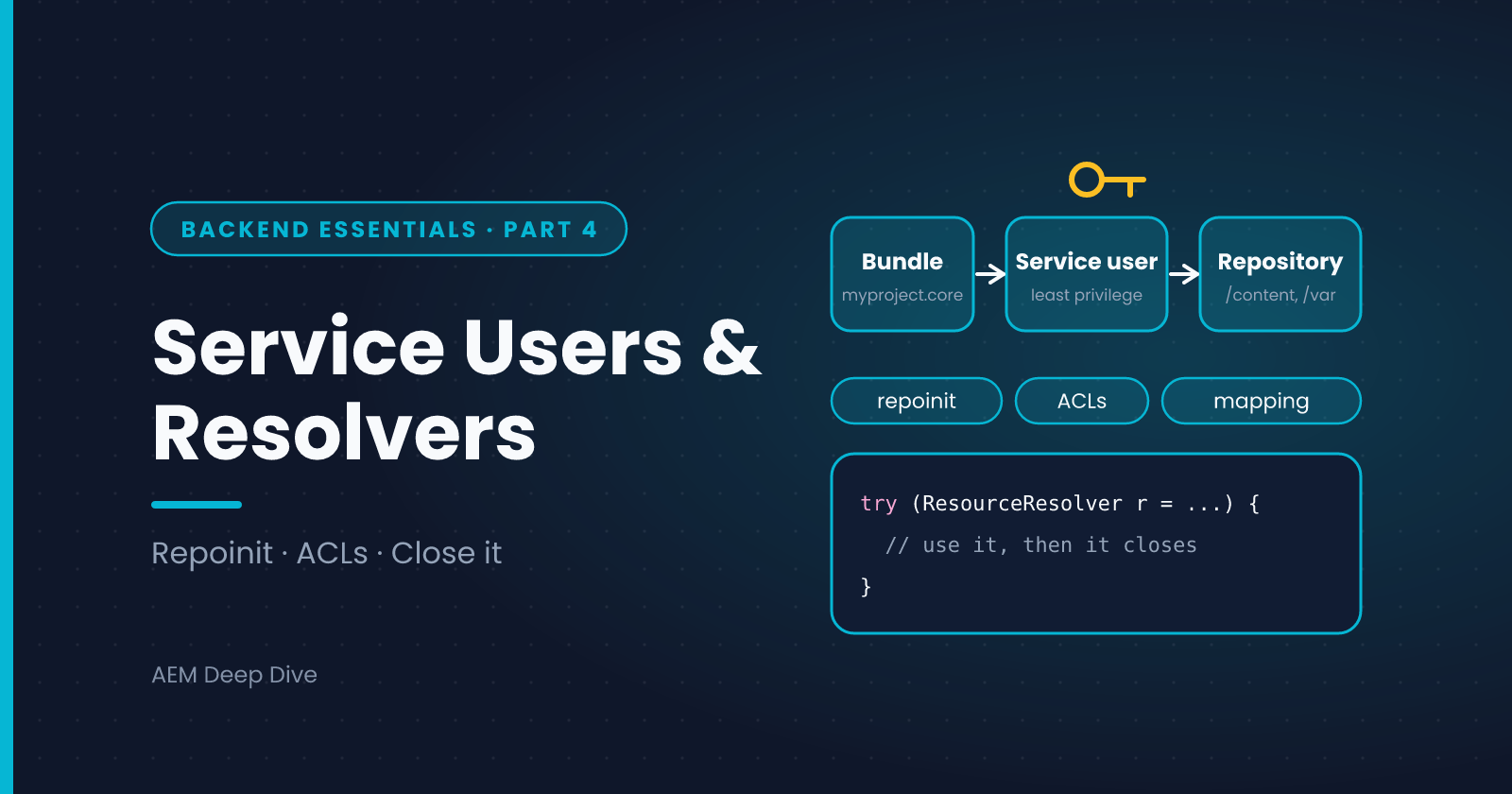
Sooner or later, your backend code needs to read or write content: look up a page, update a property, create a report node. How you get that access matters for security, for stability and, on AEM as a Cloud Service, for whether your build passes. This post explains service users, how to map them to your code, how to give them exactly the permissions they need, and how to use and close a ResourceResolver correctly.
The Rule: No Admin Sessions
In older AEM code you may have seen loginAdministrative() or getAdministrativeResourceResolver(). These give your code full access to everything. They are deprecated, and they are not a safe pattern on any version. On Cloud Service, use a service user instead.
A service user is a system account that:
- Has no password and cannot be used to log in
- Has only the permissions you grant
- Is mapped to a specific bundle and sub-service name
Three Pieces of Setup
1. Create the service user and permissions with repoinit
Repoinit is a small declarative language that runs at startup and sets up users, folders and permissions. Put the script in an OSGi configuration:
org.apache.sling.jcr.repoinit.RepositoryInitializer~myproject.cfg.json
{
  "scripts": [
    "create service user myproject-content-reader with path system/myproject",
    "set ACL for myproject-content-reader",
    "  allow jcr:read on /content/myproject",
    "end"
  ]
}
Only grant what the code needs. A reader gets jcr:read on its content path. A writer also gets jcr:modifyProperties or jcr:write on the one path it updates.
2. Map the service user to your bundle
org.apache.sling.serviceusermapping.impl.ServiceUserMapperImpl.amended~myproject.cfg.json
{
  "user.mapping": [
    "myproject.core:content-reader=[myproject-content-reader]"
  ]
}
The format is bundle-symbolic-name:subservice-name=[user]. The bundle name comes from your core module, and content-reader is a name you choose. The brackets refer to the service user's principal name, which for a user created by repoinit is the same as its name.
3. Use it in code
@Component(service = PageReportService.class)
public class PageReportServiceImpl implements PageReportService {

    private static final Logger LOG = LoggerFactory.getLogger(PageReportServiceImpl.class);

    @Reference
    private ResourceResolverFactory resolverFactory;

    @Override
    public String titleOf(String path) {
        Map<String, Object> auth =
                Collections.singletonMap(ResourceResolverFactory.SUBSERVICE, "content-reader");

        try (ResourceResolver resolver = resolverFactory.getServiceResourceResolver(auth)) {
            Resource page = resolver.getResource(path + "/jcr:content");
            return page == null ? null : page.getValueMap().get("jcr:title", String.class);
        } catch (LoginException e) {
            LOG.error("Could not open service resolver for sub-service 'content-reader'", e);
            return null;
        }
    }
}
Close What You Open
A ResourceResolver from the factory holds system resources. You must close it. On Cloud Service this is not just good manners: Cloud Manager's code quality check flags unclosed ResourceResolver objects, and a failed check can stop your pipeline.
The simplest way is try-with-resources, as above, because ResourceResolver is Closeable. Two common misunderstandings:
- "A resolver created from an existing JCR session doesn't need closing." It does
- "Closing it closes the underlying session." It doesn't. Close it regardless of how it was opened
When Not to Open a Resolver
If code already has a resolver for the current request, use that one and don't close it:
- In a Sling Model adapted from a request or resource, inject
@SlingObject ResourceResolver, which uses the current user's permissions and is managed for you - In a servlet, use
request.getResourceResolver()
Use a service user only when the work legitimately needs more access than the current user has, or when there's no user at all, as in a background job or event handler. Reaching for a service resolver "to make it work" can hide a permissions problem, and it bypasses the user's access controls, so you become responsible for authorization.
Writing Content
ModifiableValueMap props = resource.adaptTo(ModifiableValueMap.class);
if (props != null) {
    props.put("lastAudited", Calendar.getInstance());
    resolver.commit();   // throws PersistenceException
}
Keep these habits:
- Commit once after related changes, not after every property
- Catch
PersistenceExceptionand log it with the path - Don't write to
/appsor/libs. On Cloud Service they're immutable at runtime. Write only to mutable areas like/content,/confor/var - Create the target folder (for example
/var/myproject) with a repoinit line rather than in code:
create path /var/myproject(sling:Folder)
AEM as a Cloud Service vs 6.5
| Topic | AEM 6.5 | AEM as a Cloud Service |
|---|---|---|
| Admin sessions | Deprecated but may still work | Don't use them. Build with service users |
| Creating the user | Often via CRXDE, a package or the user admin console | Repoinit in your code project, applied on every deployment |
| Mapping | Config Manager or a config file | A config file in ui.config |
Runtime writes to /apps |
Possible | Not possible: /apps and /libs are immutable |
| Missing ACLs | Fixed by hand on the instance | Fixed in code and redeployed |
The key difference is that on Cloud Service everything about the user is code. That's good for repeatability: Dev, Stage and Production get the same users and permissions from the same files.
Common Pitfalls
LoginExceptionat runtime. The mapping doesn't match: wrong bundle symbolic name, wrong sub-service name, or the repoinit user doesn't exist yet. Check the logs for the exact name it triednullresources for paths you know exist. The service user can't read them. Check the ACL- Mapping uses the wrong bundle name. The prefix must be your bundle's Bundle-SymbolicName, as shown in the Developer Console
- Resolver leaked in a loop. Open one outside the loop, not one per iteration
- Using one powerful service user everywhere. Prefer several narrow ones, such as a reader and a writer
What's Next
Now that your services can read and write content safely, the next post exposes them over HTTP with Sling servlets: how to register them, why resource types beat paths, and how to keep them secure.
Next in this series: [Sling Servlets: Registration, Resource Types and Security]
About the author
- AEM Technical Lead experienced with building and architecting solutions on AEM Sites and Assets. Sharing practical tutorials, real-world implementation lessons, and best practices to help fellow developers and leads navigate AEM.
Comments
Join the discussionHave you ever fought a LoginException or a null resource that turned out to be a missing ACL? Share the cause and the fix, without any internal names or credentials.
AEM Backend Essentials
OSGi, services, configuration, service users, servlets and testing: the core backend skills for AEM as a Cloud Service, with 6.5 differences.