
Troubleshooting Replication Agents
Series: AEM Architecture & Operations — Part 2
Replication is how content travels from Author to Publish. When it works, nobody thinks about it. When it fails, authors click Publish, nothing appears on the live site, and the first message arrives within minutes. This post explains how replication works on AEM 6.5 and on AEM as a Cloud Service, and gives you a practical way to troubleshoot each.
Two Very Different Models
| AEM 6.5 / AMS / on-premise | AEM as a Cloud Service | |
|---|---|---|
| Mechanism | Replication agents configured on Author | Sling Content Distribution |
| Where it runs | Inside your Author and Publish instances | Through a pipeline service on Adobe I/O, outside the AEM runtime |
| Configuration | You create and configure agents | Set up automatically for the environment |
| Reverse replication (Publish → Author) | Supported | Not initially supported |
| Troubleshooting focus | Agent queues, transport users, logs | Distribution status, logs, CDN and Dispatcher |
The authoring experience is the same in both: authors click Publish and AEM does the rest. What changes is what's underneath, and therefore how you diagnose problems.
Part A: Replication Agents (AEM 6.5 / AMS)
How an Agent Works
When an author activates a page:
- AEM creates a replication request and places it in the queue of each enabled agent
- The agent builds a package of the content and sends it over HTTP (the transport URI) to the Publish instance
- Publish receives and stores the content
- A Dispatcher Flush agent (on Publish, or Author depending on topology) then asks Dispatcher to invalidate its cache
The Agents You'll Meet
| Agent | Purpose |
|---|---|
| Default Agent (publish) | Sends content from Author to a Publish instance |
| Dispatcher Flush | Tells Dispatcher to invalidate its cache |
| Reverse Replication | Sends user-generated content from Publish back to Author |
| Static Agent | Writes content to a file system (rare) |
You'll find them at Tools → Deployment → Replication, with agents on Author listed under Agents on author.
Reading an Agent's Status
Open an agent and check:
- Enabled / Disabled: a disabled agent silently does nothing
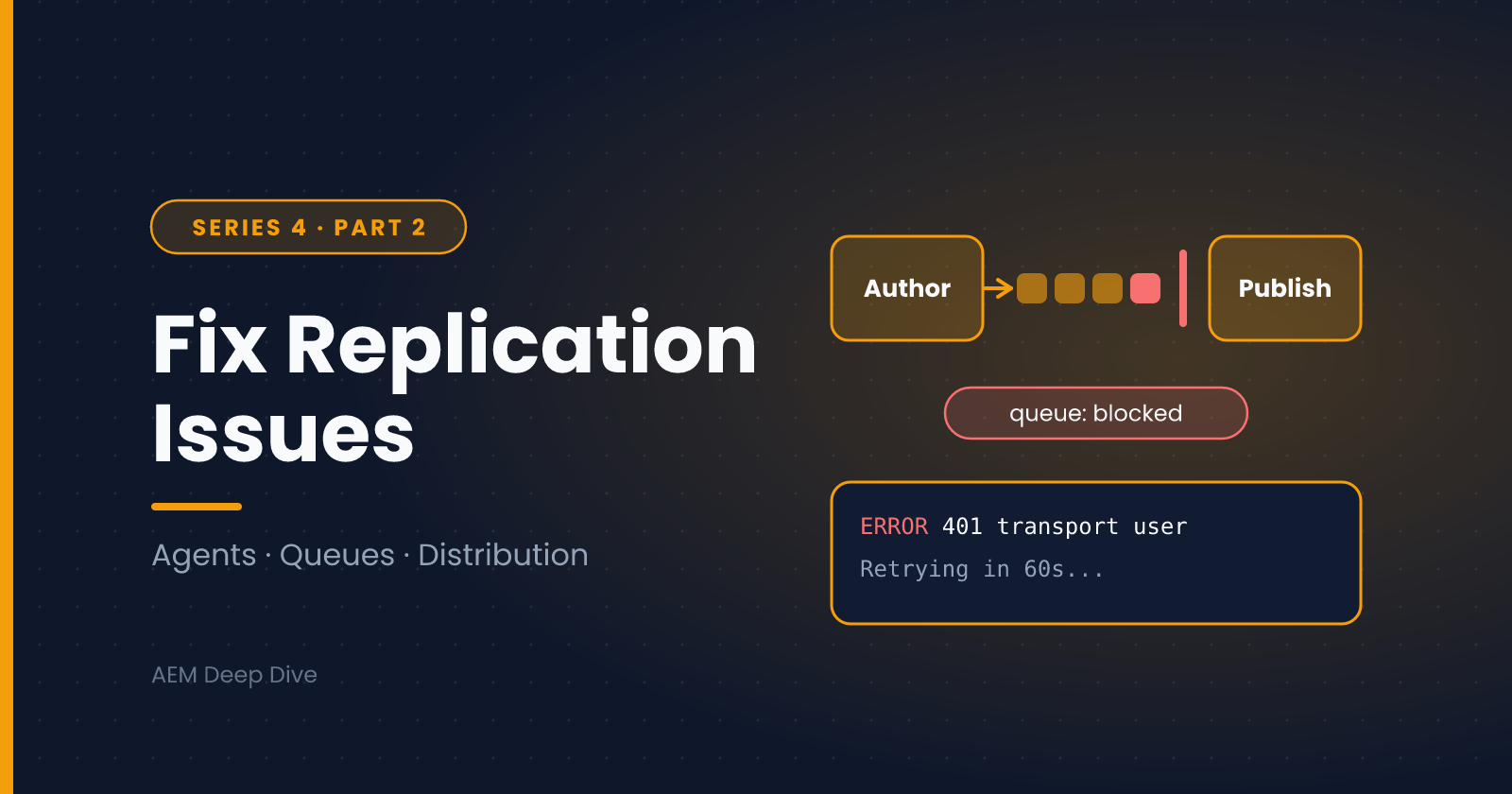
- Queue state: Idle is healthy. Processing is fine if short-lived. Blocked means the first item can't be delivered, and everything behind it is waiting
- Queue length: a growing queue means items are being added faster than delivered, or delivery is stuck
- Test Connection: verifies that Author can reach the transport URI with the configured credentials
- View Log: the agent's own log, which usually names the problem
Common Failures and Fixes
1. Queue is "Blocked"
A blocked queue means the item at the head can't be delivered, and the agent keeps retrying. The cause is nearly always in the log:
- Connection refused / timeout: Publish is down, a firewall rule changed, or the transport URI or port is wrong. Fix the connectivity, and the queue drains by itself
- 401 or 403: the transport user's credentials are wrong or expired, or it lacks permissions on Publish. Re-enter the credentials in the agent's Transport settings and check the user's rights
- A specific bad item: if one item fails forever, use Clear on that item (or Force Retry after you've fixed the cause) so the rest of the queue can proceed
2. "Test Connection" fails
- Check the transport URI, typically
http://publish-host:4503/bin/receive?sling:authRequestLogin=1 - Check the transport user and password
- Check network access from the Author host to Publish (for example with
curlfrom the Author server) - Check that the Publish instance is running and its Sling POST servlet and replication receiver are available
3. Content published but isn't visible on the live site
Replication may have succeeded, so look at the layers after it:
- Request the page directly from Publish. If the new content is there, replication worked, and the problem is Dispatcher or CDN caching (see Part 1)
- Check the Dispatcher Flush agent: is it enabled, is its queue clear, and does Dispatcher accept flush requests from that host?
4. Authors get permission errors when publishing
The author's user needs Replicate permission on the content. Check the ACLs and the user's group memberships. Page-level restrictions can also block publishing, such as pages locked for editing or pending workflow.
5. A page publishes, but its images or other references are missing
Referenced assets and pages have to be published too. In the Publish dialog, review the list of references, and make sure the author includes them. Missing dependencies are one of the most common causes of broken pages on Publish.
6. Large publishes are slow or time out
- Publish in smaller batches (use Manage Publication and schedule later if necessary)
- Check Author and Publish resource usage, because replication competes with other work
- Review the agent's timeout and retry settings
Logging for Deeper Investigation
When the agent log isn't enough, add a dedicated logger:
- Open the Felix console at
/system/console/slinglog - Add a new logger for
com.day.cq.replicationat DEBUG level, writing to its own file such aslogs/replication.log - Reproduce the problem, then inspect that file
Remember to turn it back down when you're done, since debug logging on replication is noisy.
You should also look at Sling Jobs (/system/console/slingevent), because replication runs as jobs, and a stuck or failing job queue shows up there.
Triggering Replication from Code
Custom code uses the Replicator service:
@Reference
private Replicator replicator;

public void publish(ResourceResolver resolver, String path) throws ReplicationException {
    Session session = resolver.adaptTo(Session.class);
    replicator.replicate(session, ReplicationActionType.ACTIVATE, path);
}
Use the right action type (ACTIVATE, DEACTIVATE, DELETE), run as a user or service user that has Replicate permission, and catch ReplicationException so a failure is logged rather than lost.
Part B: Replication on AEM as a Cloud Service
What's Different
On Cloud Service, content is published using Sling Content Distribution, which moves the content to a pipeline service that runs on Adobe I/O, outside the AEM runtime. The replication agents used in previous versions are no longer used or provided. There is nothing to create, no transport URI to manage and no agent queue to unblock by hand.
The Replicator API still exists for custom code, so the Java above continues to work. What changed is the machinery underneath it.
What That Means for Troubleshooting
You can't open an agent, so your tools are:
- Author UI: check whether the page actually shows as published and when
- Logs: download Author and Publish logs through Cloud Manager or view them in the Developer Console, and look for distribution-related errors around the time of the activation
- Sling jobs and queues (where exposed in your environment), for stuck distribution work
- Direct requests to Publish or the CDN to find where the content stops being fresh
- Support: if distribution looks broken platform-wide, open a ticket with Adobe, because the pipeline is Adobe-managed
Problems You Can Fix Yourself
- Content published but not visible: check the CDN and Dispatcher layers (Part 1). A stale CDN edge is far more common than a failed distribution
- Referenced content missing: same as on 6.5: publish the references, including assets and fragments
- Permission errors: the same ACL and group checks apply
- Custom code that relied on replication agents: any code that creates, reads or configures agents needs to be refactored for Cloud Service, since the agents don't exist. Adobe's pattern-detection tooling flags this during migration planning
- Workflows that used reverse replication: this isn't initially supported on Cloud Service, so design a different way to move user-generated content, for example by writing it to an external service from Publish
Testing Locally
Be careful about conclusions drawn from the local SDK. The local SDK doesn't include Adobe's managed distribution pipeline, journal or cloud microservices, and local replication uses classic author-to-publish mechanisms. That means you can test that your code triggers a publish, but you can't fully validate distribution behavior, queue handling or failure modes without a real cloud environment. Test those on Dev or Stage.
A Troubleshooting Flow That Works on Both Models
When "I published it and it isn't live":
- Was it really published? Check the page status and last-published date on Author
- Did replication succeed? On 6.5, check the agent queue and log. On Cloud Service, check logs for distribution errors
- Is the new content on Publish? Request the page directly from Publish
- Did Dispatcher refresh? Check the
.statfile and cached file timestamps, and the flush logs - Is the CDN holding an old copy? (Cloud Service) Check
AgeandCache-Controlheaders - Are references and permissions in order? Publish dependencies, check the Replicate permission
Working from left to right through the pipeline (Author → replication → Publish → Dispatcher → CDN → browser) finds the layer that's out of date quickly, and stops you from "fixing" the wrong thing.
Preventing Replication Problems
- Monitor queue depth and blocked queues (6.5) with alerts, so you hear about problems before authors do
- Use service users with minimal permissions for transport and custom replication code
- Rotate and document credentials for transport users
- Keep Publish instances healthy, because replication failures are often symptoms of an overloaded or unreachable Publish
- Train authors to check the references list when publishing, and to use scheduled publishing for large batches
What's Next
We've now seen how the platform differs for replication and Dispatcher. In the next post we compare AEM as a Cloud Service and AEM 6.5 side by side, so you know what changes for developers, operations and architecture.
Next in this series: [AEM as a Cloud Service vs 6.5 On-Prem]
About the author
- AEM Technical Lead experienced with building and architecting solutions on AEM Sites and Assets. Sharing practical tutorials, real-world implementation lessons, and best practices to help fellow developers and leads navigate AEM.
Comments
Join the discussionHave you ever dealt with a blocked queue, or a publish that never arrived? Tell me the symptom and what turned out to be the cause. Those stories make the best troubleshooting guides.
AEM Architecture & Operations
"Dispatcher, replication, performance tuning, and cloud vs on-prem decisions — what it takes to run AEM in production."