
OSGi in AEM: Bundles, Components and the Lifecycle
Series: AEM Backend Essentials — Part 1
Every piece of Java you write for AEM runs inside OSGi. Sling Models, servlets, workflow steps, schedulers and your own services are all OSGi components living in bundles. If you understand how OSGi starts, wires and stops your code, many "it works locally but not in the cloud" mysteries become easy to diagnose. This post covers the basics and the lifecycle, with a focus on AEM as a Cloud Service and notes on where 6.5 differs.
What OSGi Gives You
OSGi is a module system for Java. Instead of one big application, AEM is a collection of bundles, each a JAR file with a manifest that says what it exports (offers to others) and what it imports (needs from others).
- A bundle is the unit of deployment. Your
coremodule builds one - A component is a class managed by OSGi, created and destroyed by the framework
- A service is a component that other components can use through an interface (the next post covers this)
The archetype's core module uses the bnd tooling to generate the manifest for you, so you rarely edit it by hand.
Bundle States
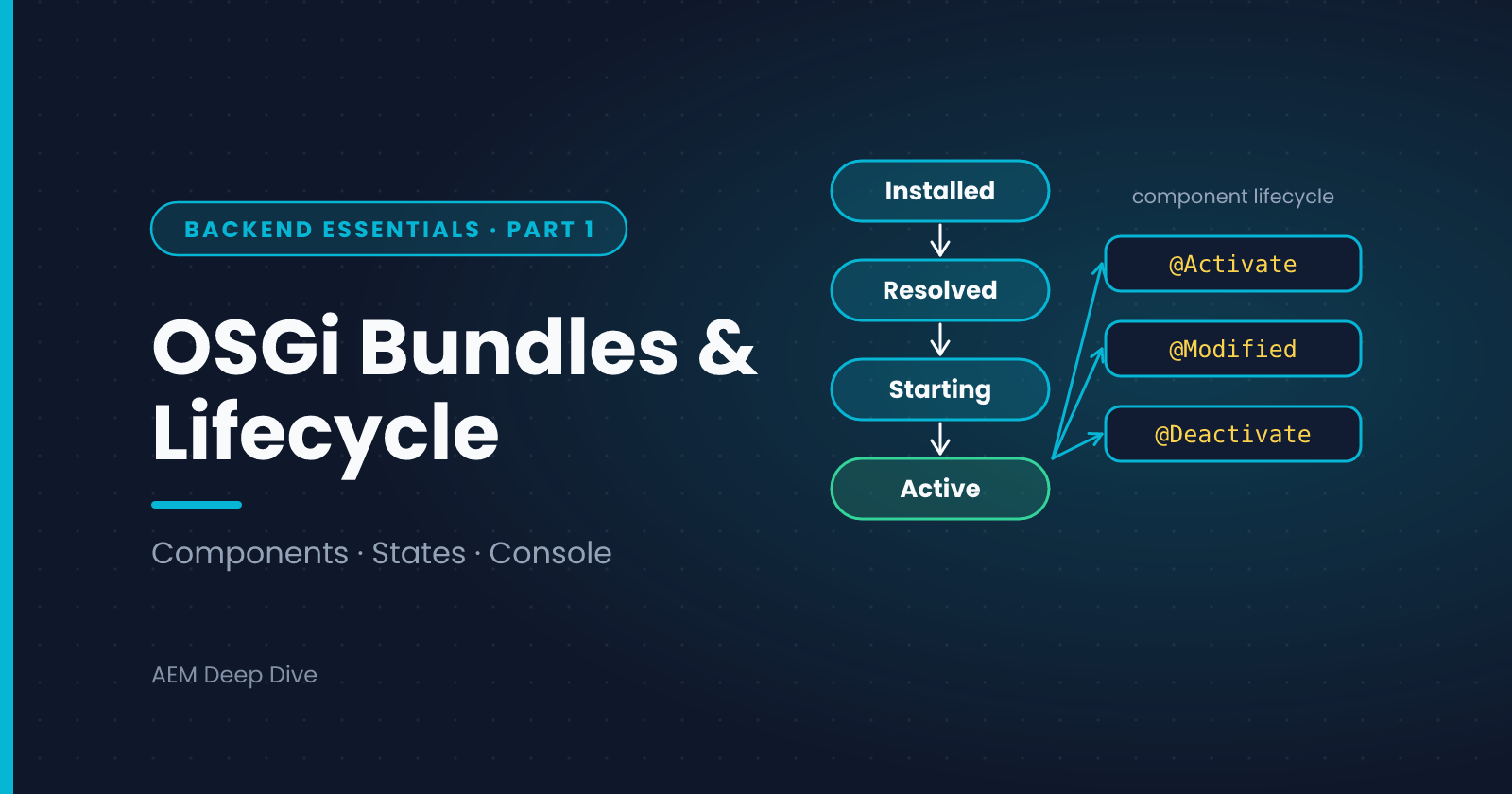
A bundle moves through these states:
| State | Meaning |
|---|---|
| Installed | Uploaded, but its dependencies aren't resolved yet |
| Resolved | All imports found, ready to start |
| Starting | Being activated |
| Active | Running, and its components can be created |
The state you'll meet most often in trouble is Installed. A bundle stuck there almost always has an unresolved import, for example a package your code uses that no active bundle exports at a matching version. The usual fixes are to depend only on APIs from the AEM SDK API, check version ranges, and avoid pulling in third-party libraries the runtime doesn't provide.
Declarative Services Components
You write OSGi components with the annotations from org.osgi.service.component.annotations. A minimal service with a configuration looks like this:
package com.myproject.core.services;

import org.osgi.service.component.annotations.Activate;
import org.osgi.service.component.annotations.Component;
import org.osgi.service.component.annotations.Deactivate;
import org.osgi.service.component.annotations.Modified;
import org.osgi.service.metatype.annotations.AttributeDefinition;
import org.osgi.service.metatype.annotations.Designate;
import org.osgi.service.metatype.annotations.ObjectClassDefinition;
import org.slf4j.Logger;
import org.slf4j.LoggerFactory;

@Component(service = GreetingService.class)
@Designate(ocd = GreetingServiceImpl.Config.class)
public class GreetingServiceImpl implements GreetingService {

    private static final Logger LOG = LoggerFactory.getLogger(GreetingServiceImpl.class);

    @ObjectClassDefinition(name = "My Project - Greeting Service")
    public @interface Config {
        @AttributeDefinition(name = "Greeting")
        String greeting() default "Hello";
    }

    private volatile String greeting;

    @Activate
    protected void activate(Config config) {
        this.greeting = config.greeting();
        LOG.info("GreetingService activated with greeting '{}'", greeting);
    }

    @Modified
    protected void modified(Config config) {
        this.greeting = config.greeting();
        LOG.info("GreetingService configuration changed");
    }

    @Deactivate
    protected void deactivate() {
        LOG.info("GreetingService deactivated");
    }

    @Override
    public String greet(String name) {
        return greeting + ", " + name;
    }
}
The interface is a plain Java interface with one method, String greet(String name).
The Component Lifecycle
Bundles have states, and so do components. A component is created by the framework, and the three lifecycle methods are your hooks:
| Annotation | When it runs | Typical use |
|---|---|---|
@Activate |
Once, when all required references and configuration are available | Read configuration, initialize caches, register with other systems |
@Modified |
When the component's configuration changes, without restarting it | Update fields from the new configuration |
@Deactivate |
When the component is stopped: bundle stop, config removed or a reference is lost | Release resources, close clients, cancel work |
A component is only active when it is satisfied: every mandatory reference is available and, if you required one, its configuration exists. Otherwise it stays unsatisfied and nothing is created. This is the single most common reason a service "doesn't work": it was never activated.
Rules of Thumb for the Lifecycle
- Keep
activatefast. Heavy work (remote calls, big queries) delays startup and can fail the whole component - Treat components as singletons shared by many threads. Avoid mutable fields, or make them
volatileor thread-safe - Undo in
deactivatewhat you did inactivate. Close clients, stop timers, deregister listeners - Never do blocking work for a long time in lifecycle methods
- Log at activation at INFO level. It makes it easy to see in the logs which configuration a component started with
Seeing What's Running
You can inspect bundles, components and services at runtime.
| Environment | Tool |
|---|---|
| Local SDK | The Felix web console at /system/console: Bundles, Components, Configuration, Services |
| AEM as a Cloud Service | The Developer Console (Status section) for a read-only view of bundles, components, configurations and services, plus logs |
For a component that doesn't work, check in this order:
- Is the bundle Active?
- Is the component listed, and in which state? An "unsatisfied reference" or "missing configuration" message tells you exactly what's missing
- Does the log show your
activatemessage?
AEM as a Cloud Service vs 6.5
| Topic | AEM 6.5 | AEM as a Cloud Service |
|---|---|---|
| Installing bundles | Can upload and start or stop bundles in the web console | Deployed only through the Cloud Manager pipeline. No manual installs on Stage and Production |
| Changing a running component | Possible in the web console | Not possible. Change the code or configuration and redeploy |
| Inspecting at runtime | Full Felix web console | Read-only through the Developer Console |
| API surface | Full product jars | Use the AEM SDK API, which exposes only the supported, cloud-compatible APIs |
| Updates | You choose when to apply service packs | Continuous. Your bundle must stay compatible with the platform's updated APIs |
Common Pitfalls
- Bundle stays Installed. Unresolved import. Read the message in the console, then fix the dependency
- Component never activates. A mandatory reference is missing, or a configuration required by
configurationPolicy = REQUIREhasn't been deployed for that run mode - Works locally, fails on Cloud. The local SDK is a single instance with a forgiving setup. Always test on a Dev environment
- Work in
activatethat fails. An exception there leaves the component unsatisfied. Catch, log and fail clearly - Forgetting
service = ...in@Component. The component exists but isn't registered as a service, so nothing can inject it
What's Next
You now know how components start and stop. The next post shows how components find and use each other: services, references and the common wiring errors.
Next in this series: [OSGi Services and References: Wiring Your Code Together]
About the author
- AEM Technical Lead experienced with building and architecting solutions on AEM Sites and Assets. Sharing practical tutorials, real-world implementation lessons, and best practices to help fellow developers and leads navigate AEM.
Comments
Join the discussionWhat was the first OSGi problem that really confused you: a bundle stuck in Installed, or a component that never activated? Share the symptom and what fixed it, because those stories help others who search for the same thing.
AEM Backend Essentials
OSGi, services, configuration, service users, servlets and testing: the core backend skills for AEM as a Cloud Service, with 6.5 differences.