
Integrating External Systems: HTTP Clients, Timeouts and Secrets
Series: AEM Backend Advanced — Part 5
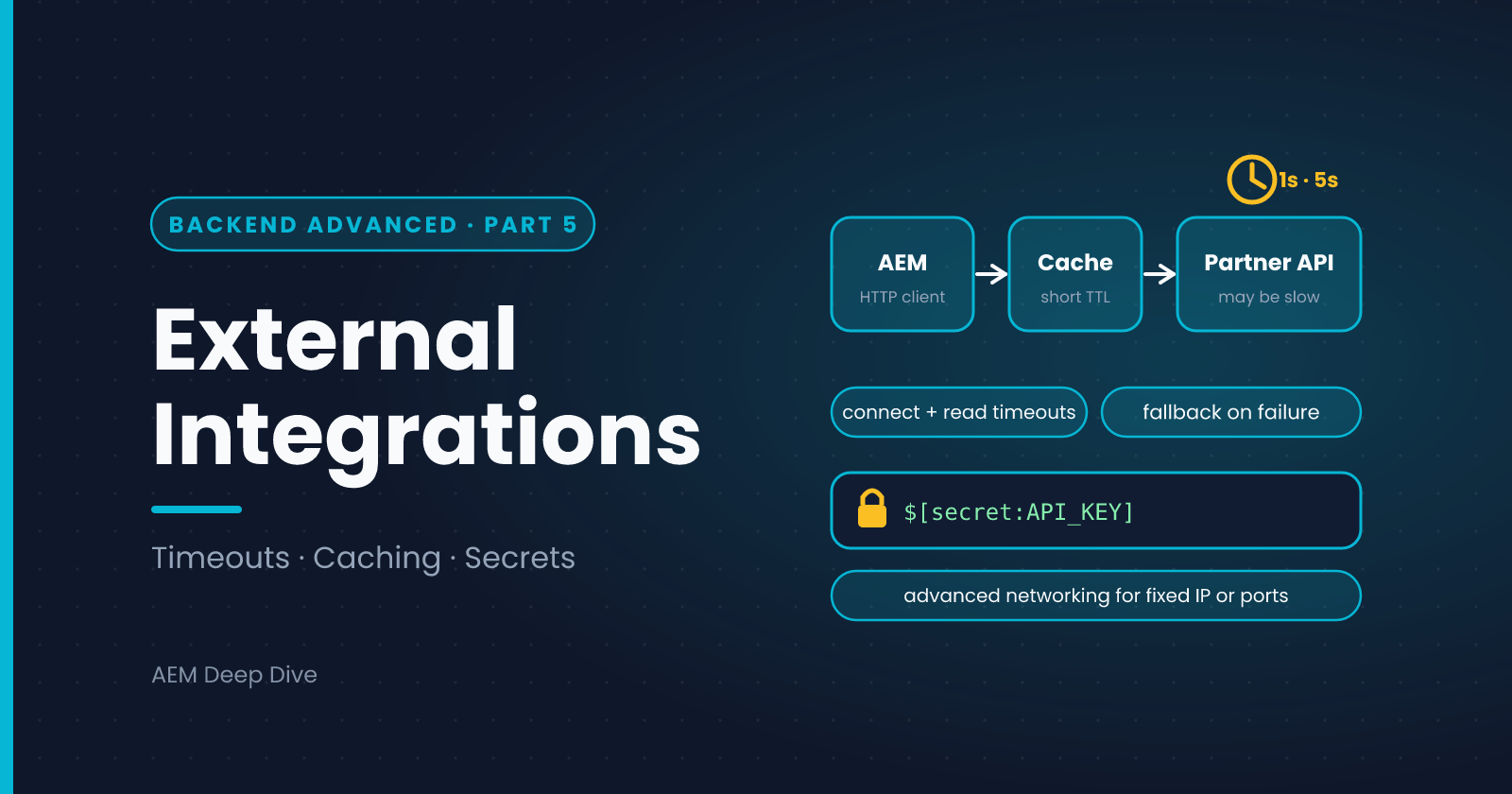
Few AEM sites live on AEM content alone. Product prices come from a commerce system, forms post to a CRM, search calls another service. Each call is a place where your site can become slow (the remote system is slow), fragile (the remote system is down) or insecure (a key ends up in Git). This post shows how to build an integration that handles all three on AEM as a Cloud Service, with timeouts, caching, secrets and the network rules to know about.
Rule 1: Always Set Timeouts
An HTTP call with no timeout can wait forever, and every request that depends on it waits with it. Threads pile up, and the site slows down or stops. This is serious enough that Cloud Manager's code quality checks flag HTTP requests that don't set both connect and read timeouts, with a maximum accepted value of 60 seconds. Adobe's development guidance suggests much smaller values for calls made while serving a page: around 1 second to connect and 5 seconds to read.
@Component(service = CatalogClient.class)
@Designate(ocd = CatalogClientImpl.Config.class)
public class CatalogClientImpl implements CatalogClient {

    private static final Logger LOG = LoggerFactory.getLogger(CatalogClientImpl.class);

    @ObjectClassDefinition(name = "My Project - Catalog Client")
    public @interface Config {
        @AttributeDefinition(name = "Base URL")
        String baseUrl() default "https://catalog.example.com/api";

        @AttributeDefinition(name = "API key")
        String apiKey() default "";

        @AttributeDefinition(name = "Connect timeout (ms)")
        int connectTimeoutMs() default 1000;

        @AttributeDefinition(name = "Read timeout (ms)")
        int readTimeoutMs() default 5000;
    }

    @Reference
    private HttpClientBuilderFactory clientBuilderFactory;

    private volatile Config config;
    private volatile CloseableHttpClient httpClient;

    @Activate
    @Modified
    protected void activate(Config config) {
        this.config = config;
        RequestConfig requestConfig = RequestConfig.custom()
                .setConnectTimeout(config.connectTimeoutMs())
                .setConnectionRequestTimeout(config.connectTimeoutMs())
                .setSocketTimeout(config.readTimeoutMs())
                .build();
        CloseableHttpClient old = this.httpClient;
        this.httpClient = clientBuilderFactory.newBuilder()
                .setDefaultRequestConfig(requestConfig)
                .build();
        closeQuietly(old);
    }

    @Deactivate
    protected void deactivate() {
        closeQuietly(httpClient);
    }

    @Override
    public Optional<String> fetchProduct(String id) {
        HttpGet get = new HttpGet(config.baseUrl() + "/products/" + id);
        get.setHeader("Authorization", "Bearer " + config.apiKey());
        try (CloseableHttpResponse response = httpClient.execute(get)) {
            int status = response.getStatusLine().getStatusCode();
            if (status == 200) {
                return Optional.of(EntityUtils.toString(response.getEntity()));
            }
            LOG.warn("Catalog API returned {} for product {}", status, id);
        } catch (IOException e) {
            LOG.warn("Catalog API call failed for product {}: {}", id, e.getMessage());
        }
        return Optional.empty();
    }

    private void closeQuietly(CloseableHttpClient client) {
        if (client != null) {
            try { client.close(); } catch (IOException ignored) { }
        }
    }
}
Three habits are baked into this class:
- One shared client, created in
activateand closed indeactivate, not one per request - Timeouts set from configuration, so Stage and Production can differ from Dev
- Failure returns an empty result and a clear log line, instead of throwing into the page
Rule 2: Don't Call Out on Every Page View
Even a fast call, repeated for every visitor, becomes a load problem for your site and for the remote system. Choose the right layer for the data:
| The data... | Do this |
|---|---|
| Rarely changes (a product name) | Cache it in the Dispatcher and CDN by serving it from a cacheable URL, or keep a short-lived in-memory copy |
| Changes often but is the same for everyone | A short cache time (seconds to minutes) |
| Is personal | Load it from the browser after the page, so the page stays cacheable |
| Is needed on every render | Fetch it asynchronously or in a job and store the result |
A simple in-memory cache with an expiry:
private final Map<String, CachedValue> cache = new ConcurrentHashMap<>();

private static final class CachedValue {
    final String value;
    final long expiresAt;
    CachedValue(String value, long ttlMs) {
        this.value = value;
        this.expiresAt = System.currentTimeMillis() + ttlMs;
    }
    boolean valid() { return System.currentTimeMillis() < expiresAt; }
}
Keep these caches small and bounded, and remember that each instance has its own copy. That is fine for short-lived data, but don't rely on it for anything that has to be consistent across instances.
Rule 3: Fail Gracefully
Decide in advance what happens when the remote system is slow or down:
- Show a fallback. For example, hide the price widget rather than break the page
- Don't retry endlessly in a request. Retry in the background if you must
- Log with context (which system, which id, what status), but never the key or personal data
- Protect the remote system and yourself. If it keeps failing, stop calling it for a short time instead of hammering it
Rule 4: Keep Secrets Out of Code and Git
The API key above comes from configuration. On Cloud Service, supply it as a secret environment variable and reference it from the config file:
com.myproject.core.services.CatalogClientImpl.cfg.json
{
  "baseUrl": "$[env:CATALOG_BASE_URL;default=https://catalog-dev.example.com/api]",
  "apiKey": "$[secret:CATALOG_API_KEY]"
}
You set CATALOG_API_KEY per environment in Cloud Manager, so Dev, Stage and Production each use their own key, and no key is ever committed. See the configuration post in the Essentials series for details.
Network Rules on Cloud Service
On 6.5 your instances usually have a fixed address in your own network, so a remote system could allow-list them. On Cloud Service the situation is different:
- By default, outbound traffic from AEM isn't tied to dedicated IP addresses that a partner could allow-list, and it is limited to standard web ports
- If a remote system requires a fixed IP, a non-standard port or a private network connection, you need Cloud Service's advanced networking options (such as dedicated egress IP, flexible port egress or a VPN), which you configure through Cloud Manager
- Plan this early. It involves your network team and the other system's team, so it takes calendar time
Check Adobe's current documentation for the options available to your program.
AEM as a Cloud Service vs 6.5
| Topic | AEM 6.5 | AEM as a Cloud Service |
|---|---|---|
| Source IP of outbound calls | Your servers' addresses | Not fixed by default. Use advanced networking if a partner requires it |
| Ports | Whatever your network allows | Standard ports by default. Others need configuration |
| Secrets | Often in config in the repository or in system properties | Secret environment variables, referenced with $[secret:...] |
| Timeouts | Recommended | Enforced by the quality check |
| Caching of results | Your Dispatcher and your own tools | Dispatcher and CDN, so cache headers matter |
| Changing an endpoint | Edit in the console | Environment variable or a new deployment |
Common Pitfalls
- No timeout. The most common cause of a site "freezing" when a partner has a bad day
- A new HTTP client per call. It leaks connections and is slow. Reuse one
- Calling the remote system from a component that renders on every request. Cache it, or load it from the browser
- Secrets in Git. Even in a private repository, treat them as exposed
- Assuming the partner can allow-list your IP. Check the network design before you build
What's Next
Every servlet and API you expose is part of your attack surface. The next post covers securing custom servlets and APIs: permissions, input validation, CSRF, and keeping Author-only code off Publish.
Next in this series: [Securing Custom Servlets and APIs]
About the author
- AEM Technical Lead experienced with building and architecting solutions on AEM Sites and Assets. Sharing practical tutorials, real-world implementation lessons, and best practices to help fellow developers and leads navigate AEM.
Comments
Join the discussionHow do you handle a slow or failing partner API on your site: fallback content, caching, or loading it from the browser? And did you need advanced networking for a fixed IP?
AEM Backend Advanced
Factory configurations, filters and listeners, jobs, workflows, integrations, security and Cloud-ready code for AEM as a Cloud Service, with 6.5 differences.